
Welcome Bonus
100%
For new players
Register, make your first deposit and claim the offer from the app.
Bonus rulesOpen Yeah96 in one tap, straight from your home screen, like any other app. On Android and iPhone you just add the web app to your home screen, with nothing to download. Android and Mac also have a native 25.7 MB file.
100% Welcome Bonus

Yeah96 gives you three ways to get the app. The web app (PWA) works on both Android and iPhone; the native files are for Android and Mac.
| Item | Detail |
|---|---|
| App type | Install-free web app (PWA) that launches from your home screen |
| Android | Web app from Chrome, or the native Android APK (25.7 MB) |
| iPhone and iPad | Web app added from Safari with Add to Home Screen (guides for iOS 16 and newer, and iOS 15 and older). No native iOS file |
| Mac | Native macOS app for Apple Silicon (25.7 MB) |
| Windows and other desktops | Use the site in your browser. No native Windows file is listed |
| Download size | None for the web app. 25.7 MB for the Android APK and the Mac app |
| Notifications | Optional: invite-only promos, maintenance and domain alerts, deposit and withdrawal status, new brand launches. On iPhone they work only from the installed app |
| Account | The same account and balance as the browser. Log in with your mobile number or username |
| Cost | Not stated. Yeah96 does not list a fee for the app |
The quickest way on any phone: add Yeah96 to your home screen. No store, no big download. Screenshots show the Yeah96 site on a phone.
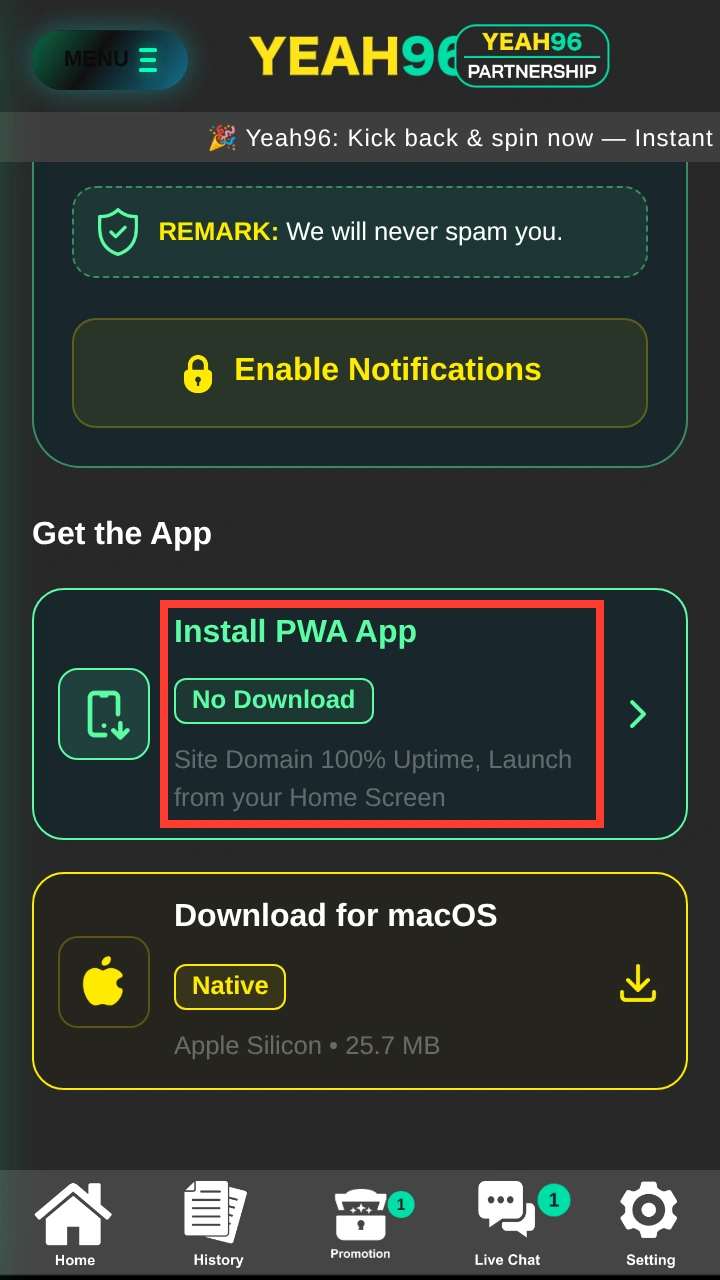
Tap Download the App at the top of this page. The Yeah96 site opens in your phone browser (Chrome on Android, Safari on iPhone) with a Get the App section.
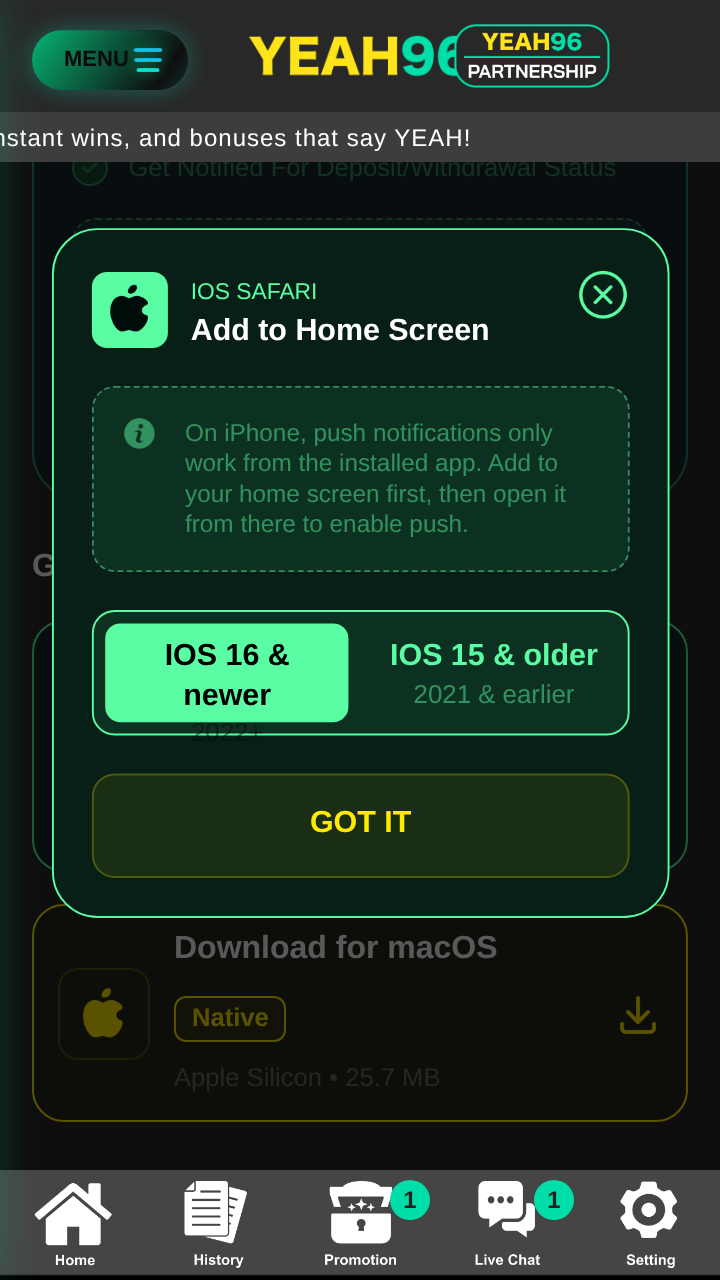
Tap Install PWA App or use your browser’s own option. On Android, open the browser menu and choose Install app or Add to Home screen. On iPhone, tap Share in Safari, then Add to Home Screen, then Add.
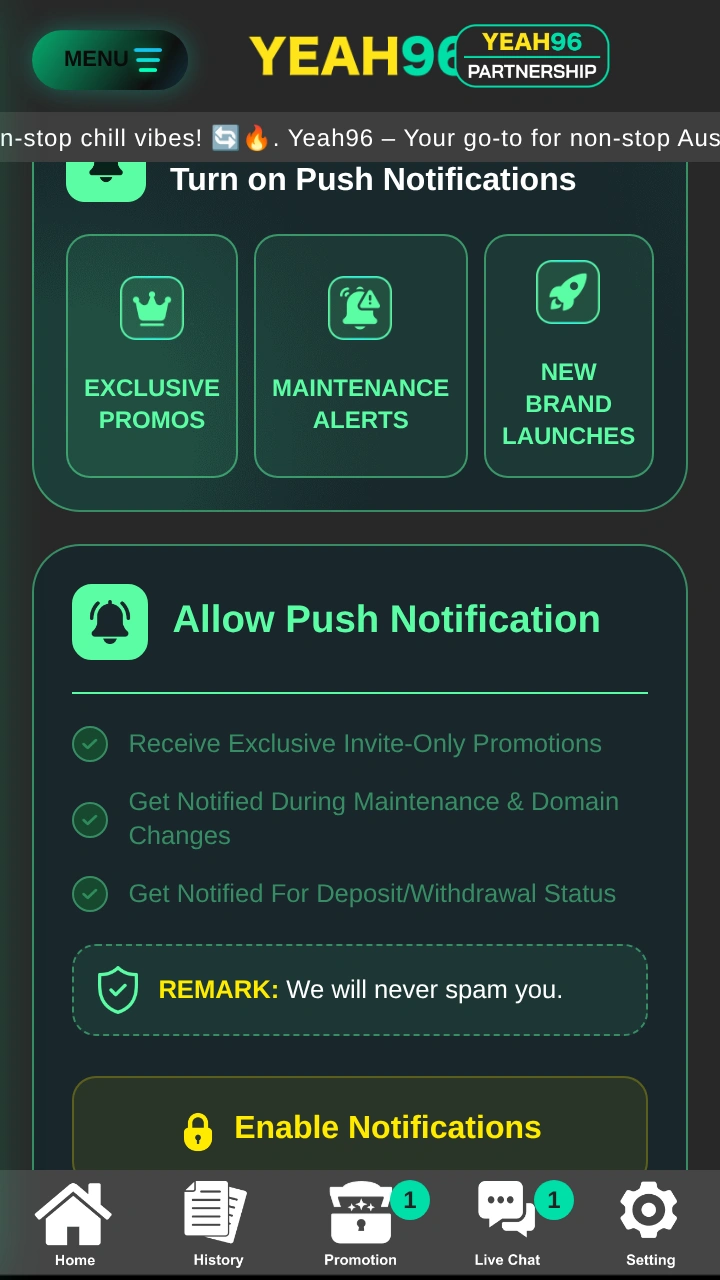
Open Yeah96 from the new icon and log in. New here? Register first. To get alerts for promos, maintenance and payment status, tap Enable Notifications and allow them when your phone asks.
Android gives you two options. The web app is the simplest and needs no file. The native APK is a 25.7 MB file offered on the Yeah96 download page.
Open Yeah96 in Chrome and go to the Get the App section. Tap Install PWA App, or open the Chrome menu (three dots) and tap Install app or Add to Home screen. Confirm, and the Yeah96 icon appears on your home screen.
On the same Get the App section, tap Download for Android (Native, APK, 25.7 MB). Only use the link on the Yeah96 site, never a file from a message or another website.
Open the downloaded file. If Android blocks it, allow your browser to install apps for this one install in Settings, then tap Install. Turn that permission off again afterwards.
Launch Yeah96 from its icon and log in with your mobile number or username. New player? Follow the registration steps below.
There is no native iOS file. On iPhone and iPad you add the web app from Safari. Yeah96 shows a guide for iOS 16 and newer (2022 and later) and another for iOS 15 and older.
Use Safari, not another browser. Go to the Get the App section and tap Install PWA App. The Add to Home Screen guide opens.
Tap the Share button in Safari, scroll the menu and tap Add to Home Screen. Choose the iOS 16 and newer tab or the iOS 15 and older tab in the guide, depending on your iPhone.
Confirm the name and tap Add. Always open Yeah96 from this home screen icon.
On iPhone, push notifications only work from the installed app. Open the icon first, then tap Enable Notifications.
On a Mac with Apple Silicon you can download the native Yeah96 app (25.7 MB) from the Get the App section, under Download for macOS. On Windows or any other computer, use Yeah96 in your browser with the same account.
Registration inside the app is the same as in the browser. Use your own details only and never share your password or SMS code.
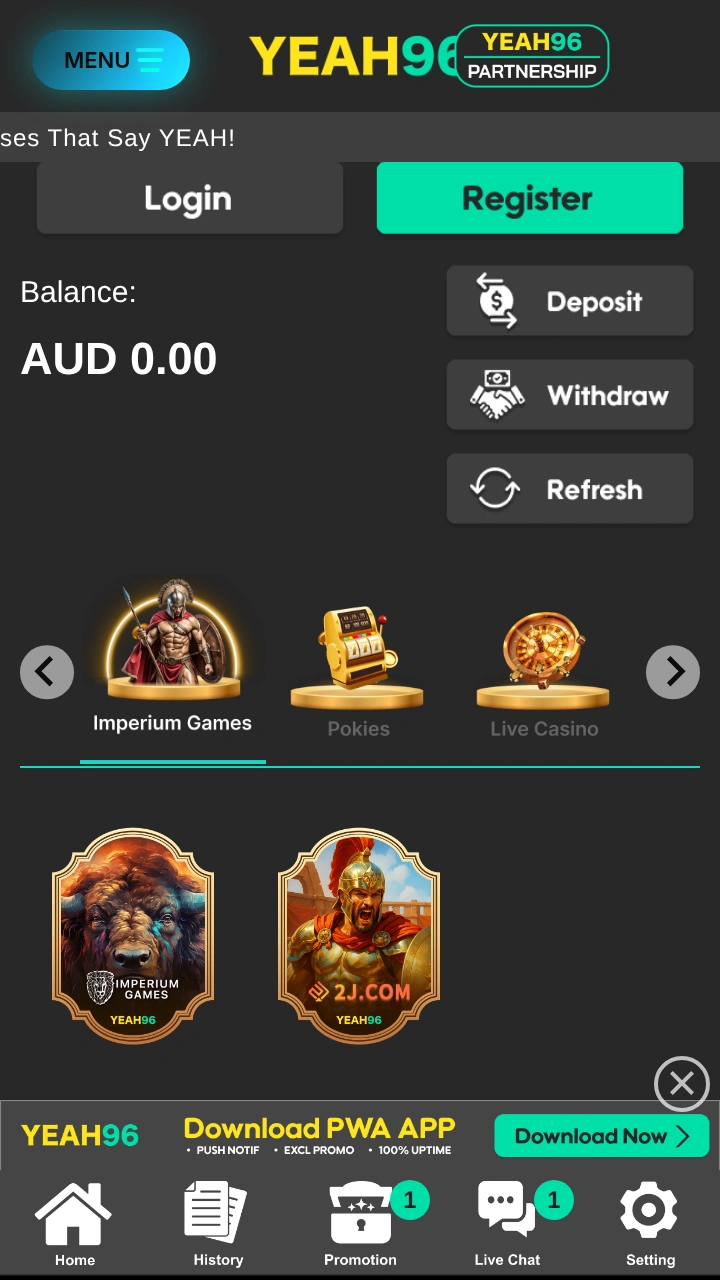
Open Yeah96 from your home screen and tap the green Register button next to Login.
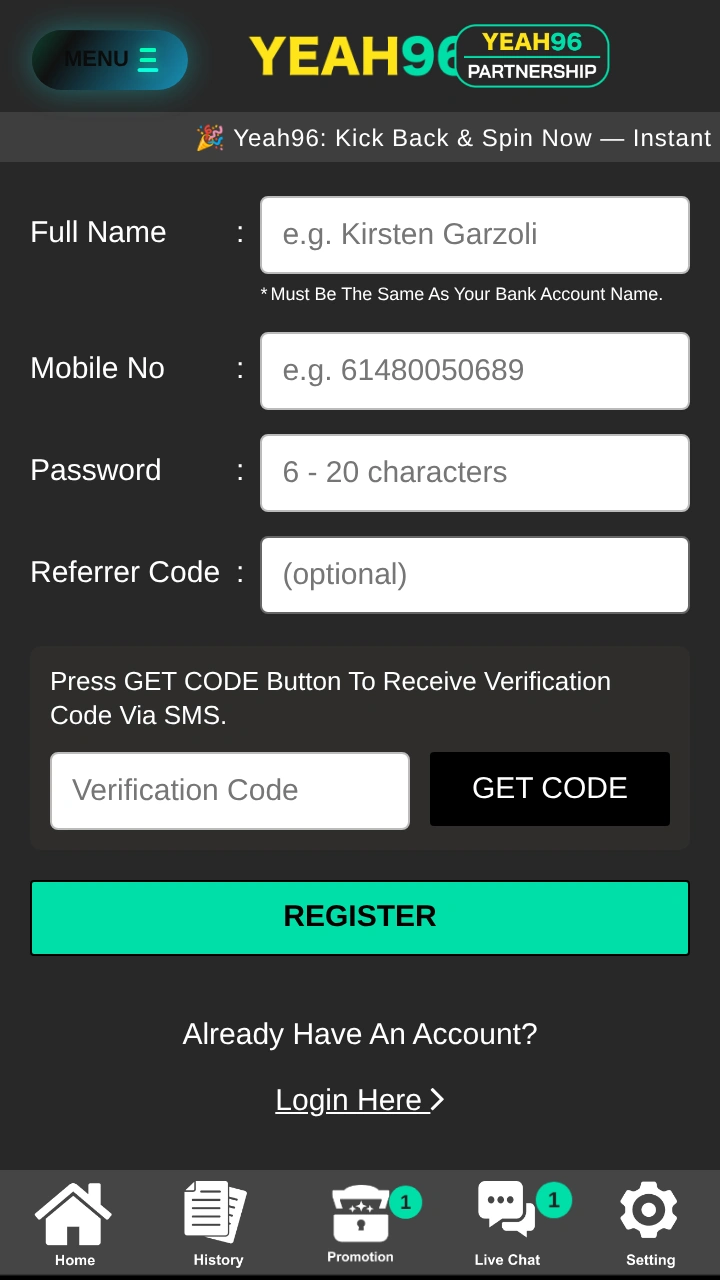
Enter your Full Name exactly as on your bank account, your Mobile No (for example 61480050689) and a Password of 6 to 20 characters. The Referrer Code is optional.
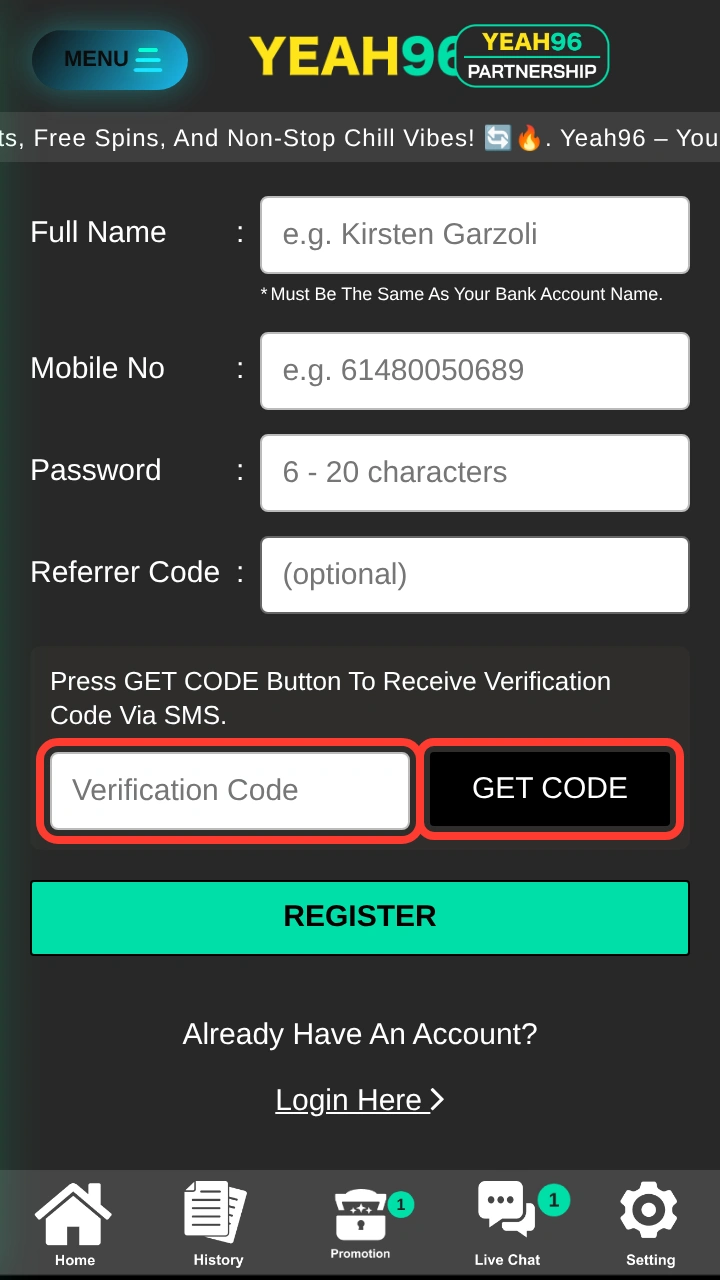
Tap GET CODE and type the code sent to your mobile number into Verification Code.
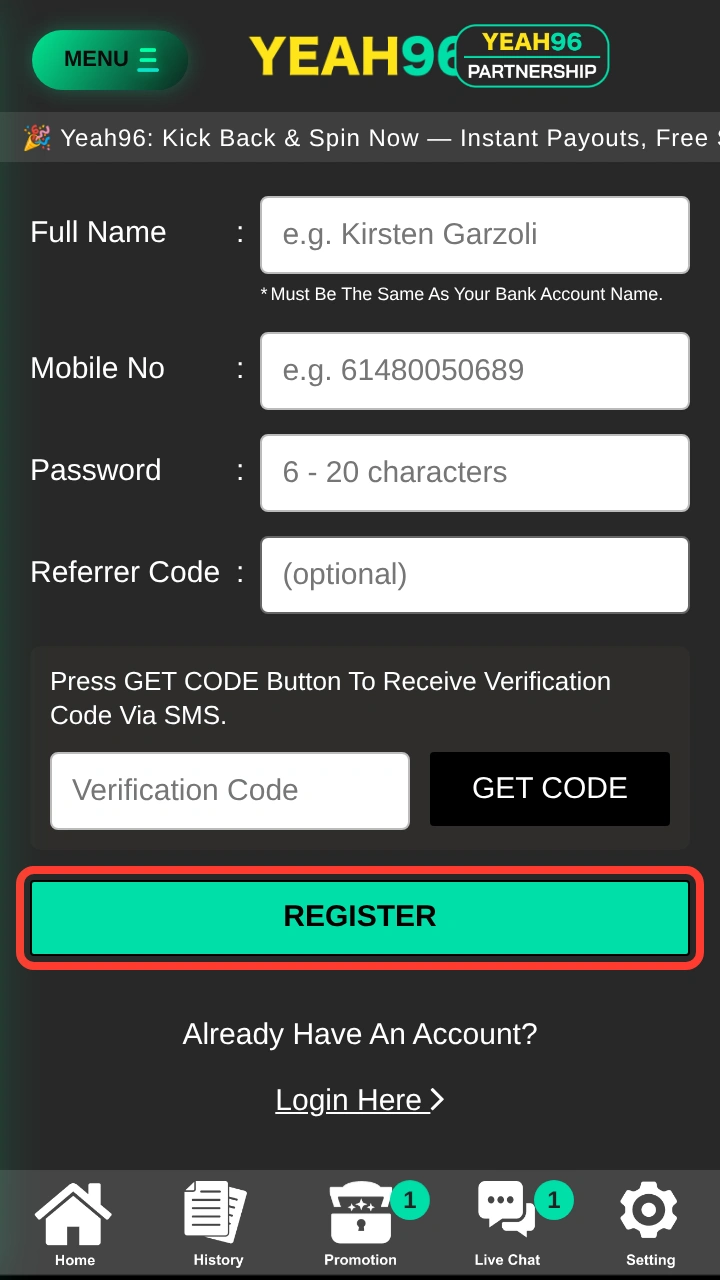
Check your details, then tap REGISTER.
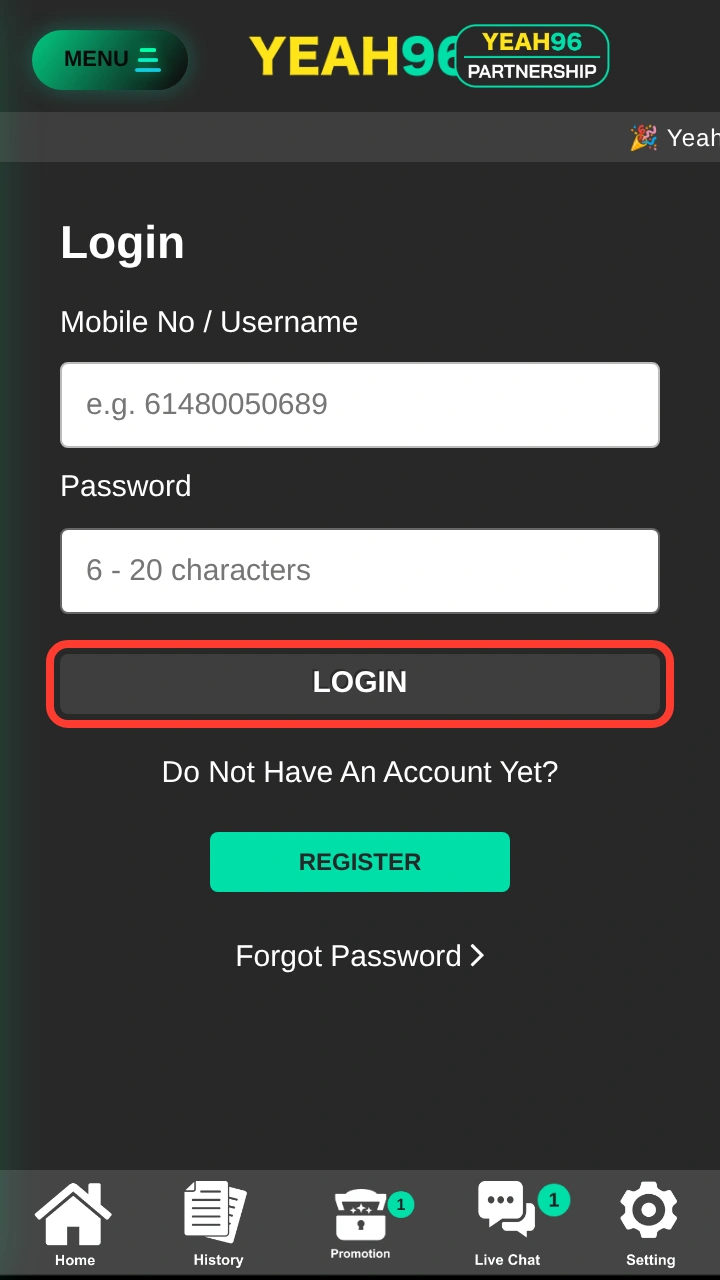
Log in with your mobile number or username and password. Verify your account before your first withdrawal: see the verification guide and the full Sign Up guide.
Your bonuses are the same in the app and the browser. Turn on notifications so you do not miss invite-only offers. Maximum amounts, wagering and expiry are not published publicly, so read the terms in your account before you claim.
100%
For new players
Register, make your first deposit and claim the offer from the app.
Bonus rules50%
50%
Saturday and Sunday
A weekend boost on deposits. Confirm availability with Live Chat.
Bonus rulesPush
Notifications only
Exclusive invite-only promotions can arrive through notifications once you turn them on.
All bonusesNotifications are optional and Yeah96 says it will never spam you. Turn them on with the Enable Notifications button on the app page, then allow them when your phone asks. You can get:
iPhone note: push notifications only work from the installed app, so add Yeah96 to your home screen first and enable notifications from there.
The cashier works the same in the app and the browser: open Wallet and choose Deposit or Withdraw.
| Item | Detail |
|---|---|
| Method | Bank transfer in AUD, from an account in your own full name |
| Minimum deposit | A$10 |
| Minimum withdrawal | A$20 |
| Before your first withdrawal | Verify your account (photo ID, proof of address, proof of bank ownership) |
More in the Payments guide.
Pros
Cons
The web app needs no download at all. The Android APK and the Mac app are 25.7 MB files from the Yeah96 download page.
Yes. On both you can add the web app (PWA) to your home screen. Android also has a native APK. On iPhone, use Safari and Add to Home Screen.
No. iPhone and iPad use the web app added from Safari. There is no native iOS file.
Yes. There is a native macOS app for Apple Silicon, 25.7 MB.
No. They are optional. You can turn them on for invite-only promos, maintenance alerts, deposit and withdrawal status and new brand launches. On iPhone they work only from the installed app.
Yes. Log in with the same mobile number or username and password either way.
Yes. Tap Register, fill in the form, get the SMS code and tap REGISTER. See the steps above.
Only download it from the link on the Yeah96 site and never from a message or another website. Allow your browser to install apps only for that install, then turn the permission off.
Check your mobile number and password, then use Forgot Password. If you are still locked out, contact Live Chat. See the Log In guide.
Get Yeah96 on your home screen in under a minute. 18+ only. Play responsibly.
Updated: